
Categories - names and who sees them
Rename policy categories for families, and decide which categories families can see at all.
Updated
Every policy sits in a category. Two things are set per category on the Settings page: the name families see, and whether families can see the category at all. Staff and head office always see every policy, whatever you choose here.
Rename a category for families
- In the console press Settings.
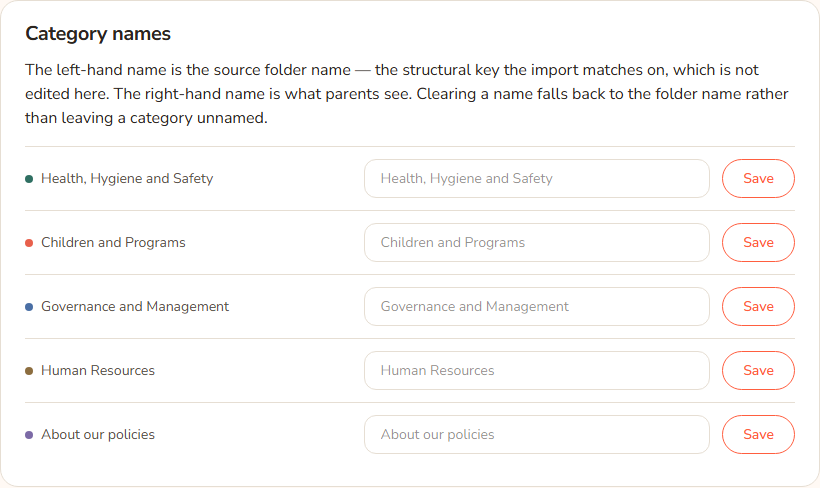
- Scroll to Category names. Each row shows the original folder name on the left (this is not editable) and a box for the name families see.
- Type the new name in the box. It can be up to 150 characters.
- Press Save on that row.
If you clear the box and press Save, families see the folder name again. A category is never left without a name.
Example: The category folder is called "Health, Hygiene and Safety". Casey Example types "Health and safety" and presses Save. Families now see "Health and safety" in the library and on filter chips.
Hide a category from families
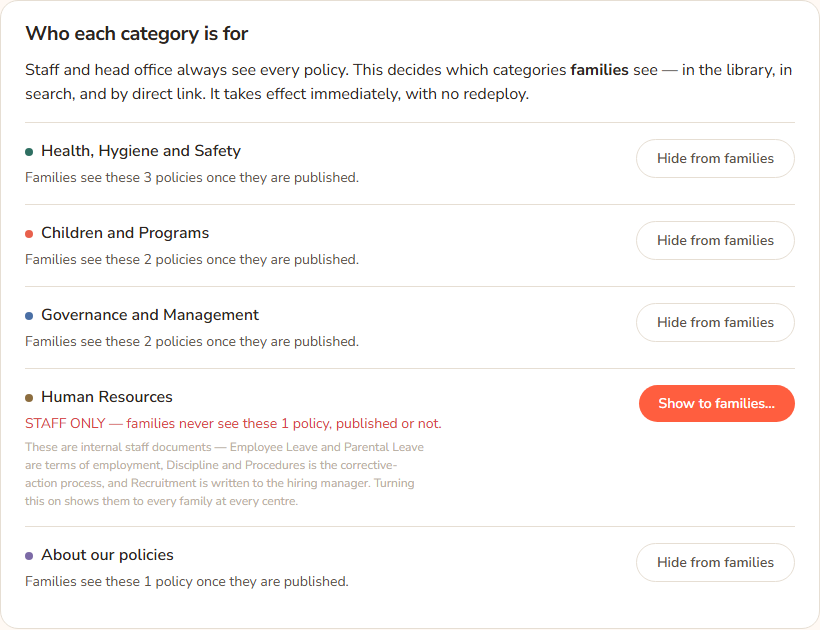
- Under Who each category is for, find the category.
- If it says Families see these N policies once they are published., press Hide from families.
- It saves at once, with no question. The line turns red and reads STAFF ONLY — families never see these N policies, published or not.
Hiding takes effect for families in the library, in search and by direct link. It is easy to undo, so there is no extra confirmation.
Show a hidden category to families
This is a bigger step, so the Hub asks you to confirm.
- Under Who each category is for, find the staff-only category and press Show to families….
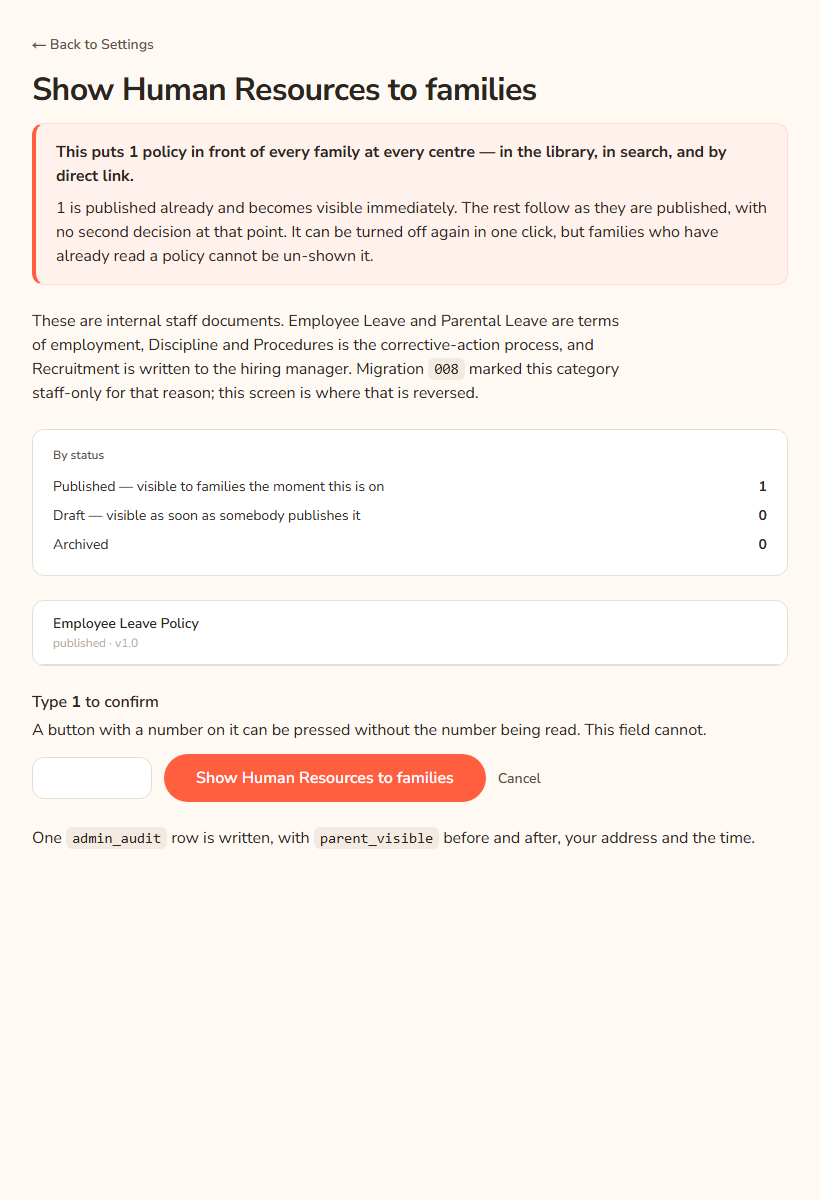
- The page Show [category] to families opens. Read the red-edged box. It says how many policies will be put in front of every family at every centre, and how many are published, draft and archived.
- Check the list of policies below it if you want to look at a specific one. Press a title to open that policy.
- Type the number shown after Type in the box. The number is the count of policies in the category.
- Press Show [category] to families. The button reads Showing….
- Press Cancel instead if you change your mind.
Draft policies in the category become visible the moment someone publishes them, with no second decision. You can turn it off again in one click, but families who already read a policy cannot be un-shown it.
Example: Human Resources holds KAL's terms of employment and discipline procedures. These are staff documents, so the category is hidden. Casey would only show it if KAL decided to share it with families. Casey would press Show to families…, type the count and confirm.
Every option
| Option | What it does | Default |
|---|---|---|
| Original name (left) | The folder name. Used by imports. Not editable here. | |
| Name box and Save | The name families see. Blank means the folder name. Max 150 characters. | Folder name |
| Hide from families | Makes the category staff-only at once. | |
| Show to families… | Opens the confirm page. | |
| Type N to confirm | You must type the exact policy count. | Empty |
| Show [category] to families | Makes the category visible to families. | |
| Cancel | Goes back to Settings and changes nothing. | |
| ← Back to Settings | Same. |
Questions
Do staff see hidden categories?
Yes. Staff and head office always see every policy. Only families are restricted.
Does a hidden category also hide it from search and links?
Yes. It is hidden in the library, in search, in Ask KAL answers and when someone opens the policy's address directly.
Why do I have to type a number to show a category?
A button with a number on it can be pressed without reading the number. Typing it makes sure you saw how many policies you are exposing. The Hub re-counts when you press the button, so a wrong number changes nothing.
Does the audience page work if it's already shown?
If someone already turned it on, the page reads [category] is already shown to families and There is nothing to confirm. Someone may have turned it on while this link was open. Press ← Back to Settings.
Is the change logged?
Yes. A row is written with the category, before and after, your address and the time.
If something goes wrong
- "The number you typed did not match the number of policies in this category. Nothing was changed." Type the number shown in the label above the box and press the button again.
- [category] is already shown to families with "There is nothing to confirm. Someone may have turned it on while this link was open." Nobody needs to do anything. Press ← Back to Settings.
- A category name longer than 150 characters is cut to 150 without a warning.