
My Questions - your past Ask KAL questions
Find, reread and continue the questions you have asked Ask KAL.
Updated
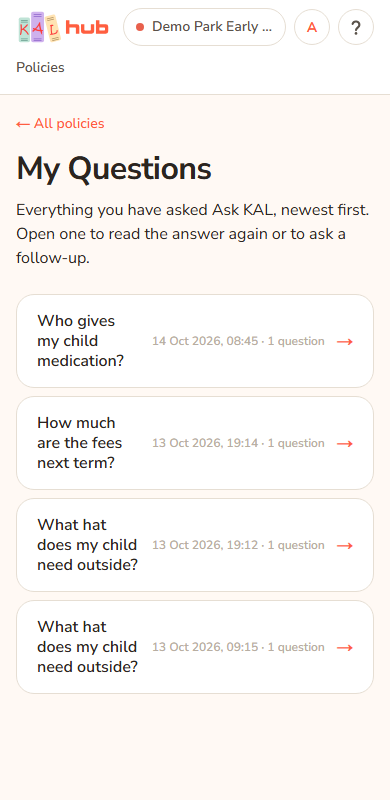
My Questions lists the conversations you have had with Ask KAL, newest first. Open one to read the answer again or to ask a follow-up. You reach it from the Ask KAL page, through the link My Questions → at the top right.
Find an old question
- Open Ask KAL (press Ask beside the search box, or open any policy and press Ask about this).
- Press My Questions → at the top of the page.
- Find your question in the list. Each line shows the question you started with, the date and time, and how many questions that conversation holds.
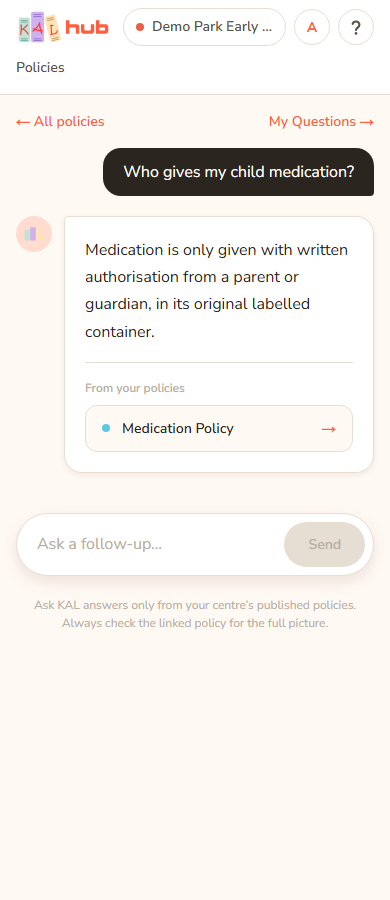
- Press the line. The Ask KAL page opens with the whole conversation.
Example: Alex Demo asked about sun hats last week. Alex opens My Questions, sees "Can my child take a hat from home?" with "1 question", presses it and reads the answer again.
Continue a conversation
When you open a past conversation, the box at the bottom says "Ask a follow-up…". Type and press Send. Ask KAL knows what was said before. Your new question moves the conversation to the top of the list. Each new question counts towards your daily limit of 30.
What the list shows
- The list is only yours. You see the conversations asked under your own email address.
- It shows the 50 most recent conversations.
- A conversation is named after its first question. A long first question is shortened with "…".
- The date and time are Brisbane time, in 24-hour form.
- Links under the answers go to policies you can read at your current centre. If a conversation was at a different centre, a link to a policy you cannot read at your current centre is not shown.
When there is nothing yet
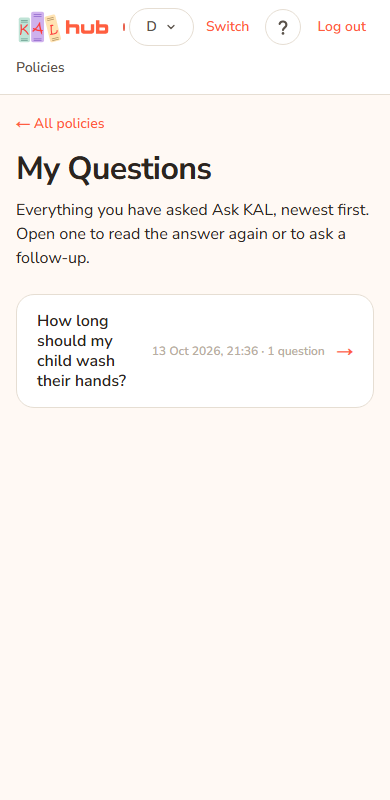
If you have never asked a question the page shows You have not asked anything yet. If Ask KAL is on it explains what Ask KAL does and offers Ask a question. If Ask KAL is off it offers Browse the policy library.
Every option
| Option | What it does | Default |
|---|---|---|
| ← All policies | Back to the library. | |
| A conversation line | Opens that conversation on the Ask KAL page. | Newest first |
| Ask a question | Starts a new question. Shown when you have none and Ask KAL is on. | |
| Browse the policy library | Shown when you have none and Ask KAL is off. |
Questions
Where is My Questions in the header?
It is not a tab. Open Ask KAL and press My Questions →.
Can I delete a question?
There is no delete button. Hub removes old conversations automatically after about 13 months without a new question in them.
Do my questions follow me to another device?
Yes. The list is tied to your email address, so you see it wherever you sign in with that address.
Does it count towards the daily limit?
Reading an old answer does not. Each new question you send does. See Ask KAL.
Why is a link under an old answer missing?
That policy may now be unpublished, or may not apply at the centre you are viewing. The answer text is still there.
If something goes wrong
- You have not asked anything yet with "Ask KAL answers from your centre's current policies and links you to each one it used." You have no past questions. Press Ask a question.
- You have not asked anything yet with "Ask KAL is turned off just now — the whole policy library is still here to search and read." Ask KAL is off. Press Browse the policy library.
- A link opens Ask KAL as a new, empty chat. The conversation may not belong to your sign-in address or may no longer exist. The page treats both the same way. Go back to the list.
- A conversation shows A question as its title. It was saved without a title.