
Switching centre
How to change which centre's policies you are reading if you belong to more than one centre.
Updated
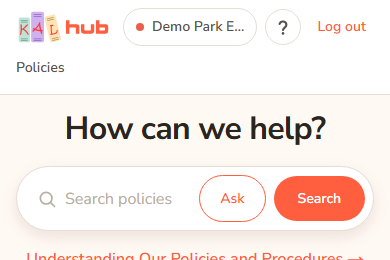
KAL Hub shows the policies for one centre at a time. The centre is named in the header. If you belong to more than one centre, you can switch between them without signing in again.
Switch centre
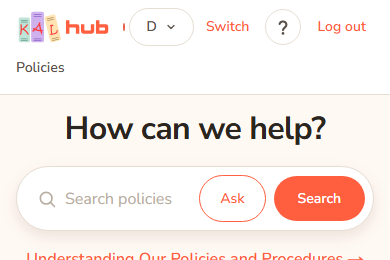
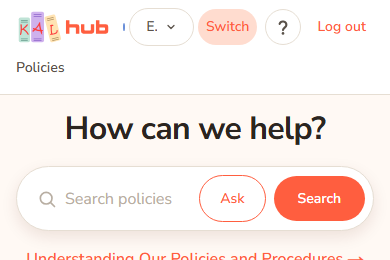
- Look at the right-hand side of the header. If you can switch, you see a coloured dot, a drop-down list with a centre name in it, and the word Switch.
- Open the list and choose another centre.
- Press Switch. The page reloads and the header names the new centre.
Example: Sam Example has children at both Demo Park and Example Bay. Sam signs in and lands on Demo Park Early Learning. Sam opens the list, chooses Example Bay Early Learning, presses Switch, and now reads Example Bay's policies.
What changes when you switch
- The policy library, search, categories and counts are for the new centre.
- A policy shows the new centre's own version if the centre has one.
- Ask KAL answers from the new centre's policies, and the answer names the new centre.
- Printouts carry the new centre's logo.
- Docs (for staff) lists the documents linked from the new centre's policies.
Who can switch
- A family with children at more than one centre can switch between those centres.
- Staff and educators who work at more than one centre can switch between those centres.
- Head office can switch to any centre.
- If you belong to one centre only, you see the centre name in a plain label with no list and no Switch button. There is nothing to switch.
- A head office "view as a parent" cannot switch. The viewed centre is fixed until the view is stopped.
Every option
| Option | What it does | Default |
|---|---|---|
| Centre list | Lists only the centres you may read. | Your current centre |
| Switch | Moves you to the centre chosen in the list. | |
| Centre label | A plain label shown instead of the list when you belong to one centre. |
Questions
Where did the list come from?
When you signed in, Hub worked out which centres you belong to. If you had more than one, you were asked to choose. See Choosing a centre. The same list is offered in the header.
Why is my other centre not in the list?
You can only switch to a centre you belong to. If a centre is missing, tell your centre or head office so your record can be checked.
Do I need to sign in again?
No. Your sign-in stays the same.
Does switching change my activity?
Hub records that you switched, as it records that you opened a policy. See Privacy and security.
If something goes wrong
- The centre did not change after pressing Switch. If you chose the centre you are already in, nothing happens. If the centre is not one you belong to, the request is refused and the page stays as it was. Choose another centre from the list.
- I see no list at all. You belong to one centre, or this is a head office view as a parent.