
Quick Guide and checklist - the build screen
Write a Quick Guide, a staff checklist and a header picture for a new draft policy, one step at a time, and generate them again later in the editor.
Updated
KAL adds three things of its own to most policies: a Quick Guide (the short plain-English summary families read first), a Staff Understanding Checklist (the page staff sign when they are inducted) and a Header picture. After you create a draft from a document, the screen Building KAL's version writes them one at a time. An assistant writes each one from the policy's own text. You can also write them any time from the editor.
Nothing on the build screen is required. The draft exists before any step runs. A step that fails costs you one step, not the upload.
Build KAL's version
- After you press Create the draft (see New policy from a document) you arrive at Building KAL's version. It says the policy "is saved as a draft with the document's own words in KAL's formatting. Families cannot see a draft. These three additions are KAL's own — run them one at a time."
- The page has three rows, in this order: Quick Guide, Staff Understanding Checklist, Header picture. Each row shows a pill (Not started), a sentence about what it is, and a button.
- Press Write the quick guide. The pill changes to Working… and the button also says "Working…". Only one step can run at a time, so the other buttons go grey.
- Wait. A Quick Guide or checklist can take up to five minutes. The picture takes about a minute.
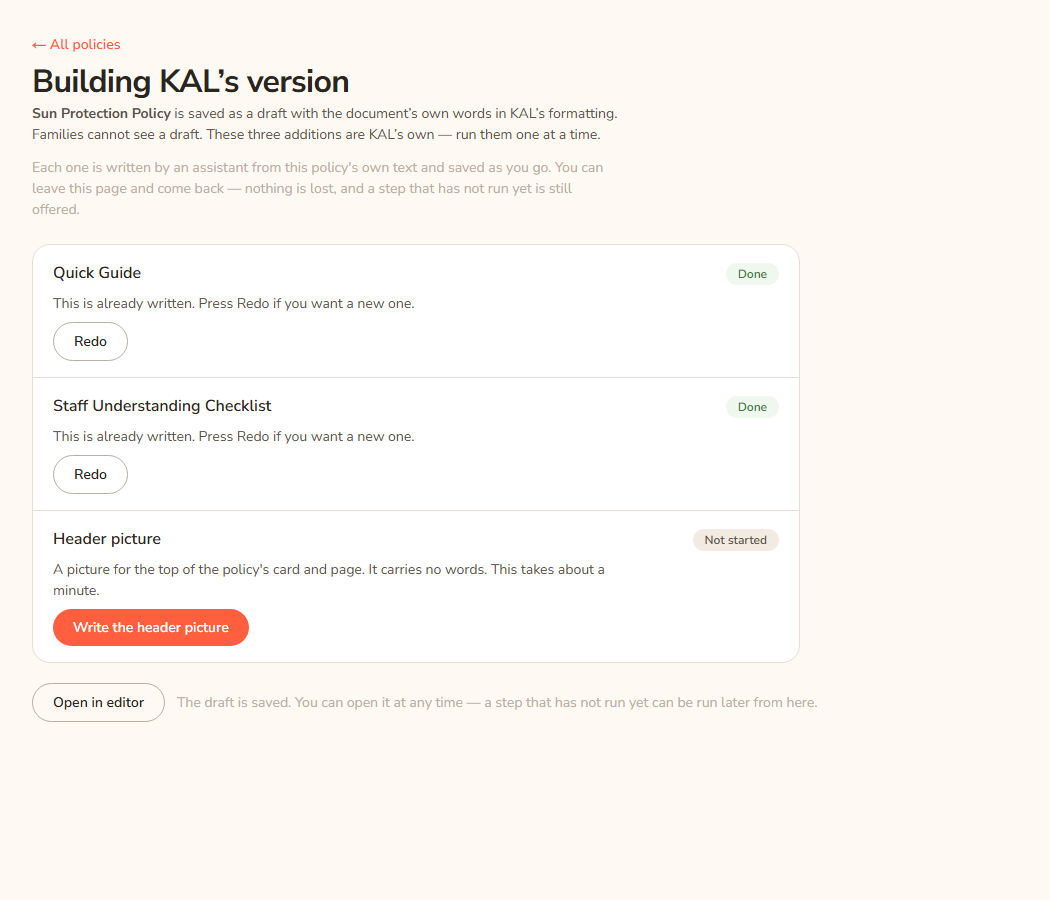
- When it finishes the pill turns Done and the row tells you what was written, and how many seconds it took.
- Press Write the staff understanding checklist, then Write the header picture, the same way.
- Press Open in editor to read what was written and change anything that is not right. This button is always available. You do not have to finish all three.
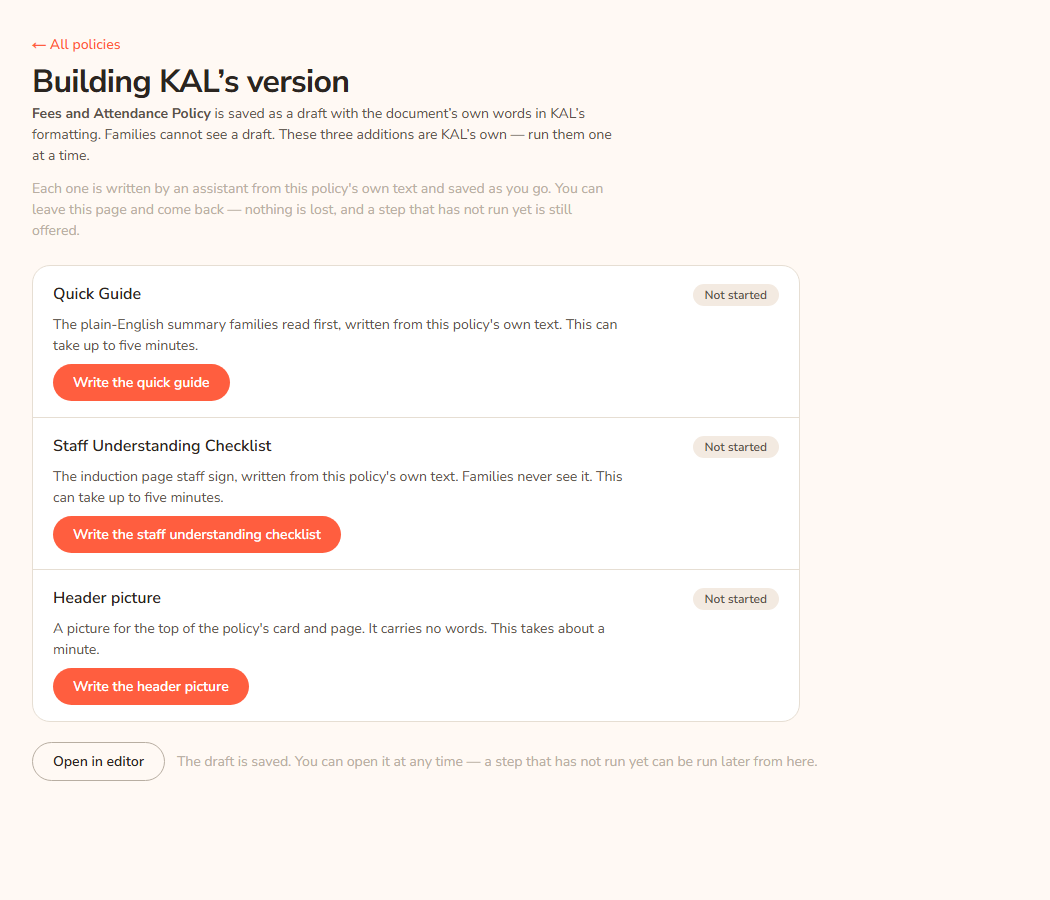
You can leave the page and come back. The screen works out what is done by looking at the policy itself, so it is correct after a reload, in another browser, or a week later. A step that has not run is still offered.
Example: Casey Example creates a draft from a Demo Park document and reaches Building KAL's version. Casey presses Write the quick guide, waits about a minute, and the row reads "A Quick Guide of 8 bullets was written and saved." with the time. Casey runs the checklist and the picture, then presses Open in editor and tidies two bullets.
What each step writes
| Step | What it is | How long |
|---|---|---|
| Quick Guide | The plain-English summary families read first, written from this policy's own text. Families and staff both see it, at the top of the policy. | Up to five minutes |
| Staff Understanding Checklist | The induction page staff sign, written from this policy's own text. It is printed for staff only. Families never see it, on screen or on paper. | Up to five minutes |
| Header picture | A picture for the top of the policy's card and page. It carries no words. See Header images. | About a minute |
The assistant writes plain text and the Hub builds the formatting itself. That keeps KAL's fixed wording, such as the induction declaration and the signature line, exact every time.
Every button and pill
| Item | What it does | When you see it |
|---|---|---|
| Write the quick guide / Write the staff understanding checklist / Write the header picture | Starts that step. | The step has not run |
| Redo | Writes a new one and replaces the old one. | The step is done, or "Already there" |
| Retry | Runs the step again after a failure. Safe to press: it checks the policy again before doing anything. | A step failed |
| Open in editor | Opens the policy in the editor. | Always |
| Not started (pill) | The policy does not have it yet. | |
| Working… (pill) | The step is running. | |
| Done (pill) | The policy has it. | |
| Already there (pill) | The step found the policy already had it, so it did nothing and spent nothing. | |
| Not written (pill) | The step failed. The row says why. | |
| ← All policies | Back to the Policies list. | Always |
Write them later in the editor
The editor has the same writers. In the policy editor:
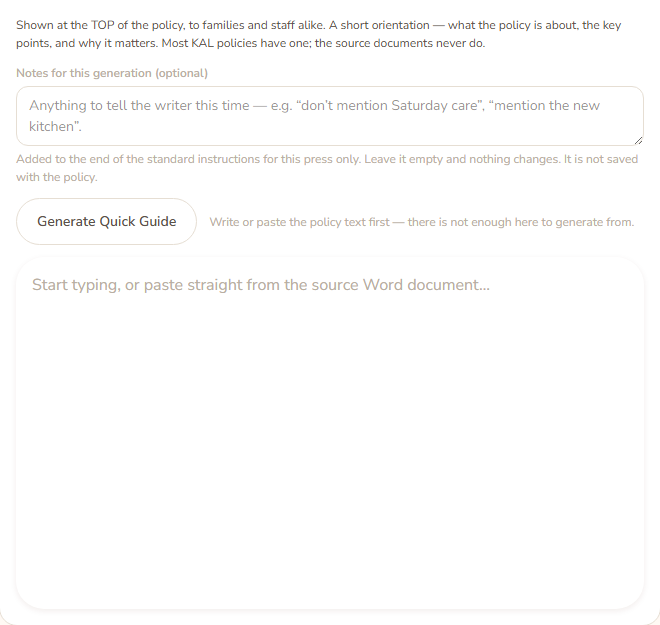
- The Quick Guide panel has a Generate Quick Guide button. The Staff Understanding Checklist panel has Generate Staff Checklist.
- The Header image panel (in the sidebar) has Generate. See Header images.
- The section panels have an optional box Notes for this generation (optional), where you can tell the writer something for this time only, for example "don’t mention Saturday care". The picture has Notes for the next picture (optional). Notes can be up to 500 characters. They apply only to that press of Generate and are not saved with the policy.
- The text is written into the box for you to edit. Nothing is saved until you press Save.
- If the panel already has text, a box asks "Replace it with a newly generated one?" Press OK to replace, or Cancel to keep it. After replacing, Ctrl+Z brings the old text back.
- A section usually takes one to two minutes, and longer if the first try fails. A picture takes up to a minute.
- Generate is greyed out until the policy has a title and enough text. For a picture it also needs a category.
Questions
Do I have to run all three steps?
No. Run the ones you want. A policy without a Quick Guide still works. The Policies list shows a "No Quick Guide" or "No Checklist" chip, and a count of policies missing one, so you can find the gaps later.
Can the assistant get something wrong?
Yes. It writes from the policy's text only, but it can miss a point or word something badly. Always read the Quick Guide and checklist in the editor before you publish.
What if the policy is very long?
Only the first part of a very long policy is sent. If that happens the row adds: "This policy is longer than the text that was sent, so the end of it was not covered." Check the end of the policy yourself.
Why did a step say "Already there"?
The policy already has that section, so nothing was generated. Press Redo if you want a new one.
Will the checklist show on the printed copy?
The checklist and the signature panel print only on the staff copies, never on the family copy. See Printing a policy.
If something goes wrong
A failed row shows the pill Not written and a message. Press Retry.
Messages on the build screen:
- "That step could not be run just now — nothing was written. Press Retry. If it keeps happening, sign in again." This usually means your console session ended. Sign in again.
- "That step could not be run just now. Press Retry."
- "That request was malformed. Reload the page and try again."
- "That policy could not be found."
- "That policy could not be found. Nothing was saved."
- There is nothing to build here — shown when the upload never became a policy. It says "This upload has not become a policy. It is" followed by its state, with a link See what happened to it →.
Messages when a section cannot be written:
- "Give the policy a title first — it is named in the section that gets generated."
- "This policy has" a number "characters of text, and at least 500 are needed. Write or paste the policy first — a section generated from an empty policy would be about childcare in general, not about this policy."
- "The section could not be generated just now. Nothing has been changed — try again."
- "The generated section came back in a shape I could not read. Try again."
- "It was written but could not be saved:" followed by the reason.
- "This policy was written or changed by another run while this was generating, so nothing was saved." Reload the page to see where it got to.
- "This is already written. Press Redo if you want a new one."
- The policy is not a draft: the message starts with the policy's short name, then "this policy is" its status "not a draft. The build screen writes a maintenance revision that a family's history hides, which is right for a policy being assembled and wrong for one anybody can already read. Edit its" Quick Guide or Staff Understanding Checklist "in the editor instead."
Messages from the editor's Generate buttons:
- "A Quick Guide has been written from this policy's text — " a number of bullets ". Read it and change anything that is not right. Nothing has been saved yet." The checklist message is the same with "items".
- "That could not be generated just now. Nothing has been changed — try again."
- "Give the policy a title first — it is named in the generated section."
- "Write or paste the policy text first — there is not enough here to generate from."