
Choosing a centre
What the "Which centre would you like to view?" step is, who sees it, and how to change centre later.
Updated
The Hub shows you the policies for one centre at a time. If you belong to only one centre, you never see this step. If you belong to more than one, the page asks you which one to view first.
Choose a centre
- Sign in with your PIN, code or password.
- The page says "Which centre would you like to view?"
- Press the button for the centre you want. Each button shows the centre name with a coloured dot.
- You land on that centre's welcome page.
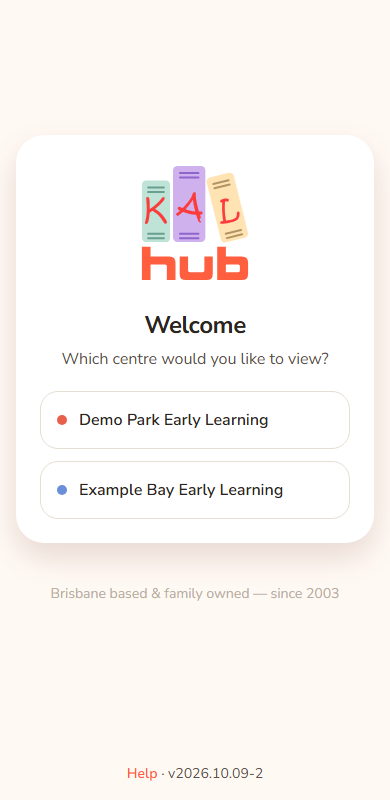
Example: Sam Example has Leo Example at Example Bay and also a child at Demo Park. After the PIN, Sam sees two buttons, Demo Park Early Learning and Example Bay Early Learning. Sam presses Example Bay Early Learning.
Who sees the step
| Who | Sees the step? |
|---|---|
| A parent with children at two or more centres | Yes |
| An educator whose own child is at a different centre from where they work | Yes |
| Centre staff with more than one centre | Yes |
| Head office | No. They land on a centre and use the switch in the header |
| Anyone with one centre | No |
Change centre later
Use the centre control in the header. If you have more than one centre it shows a list and a Switch button. Pick a centre and press Switch. See Switching centre.
Every option
| Control | What it does | Who sees it |
|---|---|---|
| Centre buttons | Start your visit at that centre. | People with more than one centre |
| Header list and Switch | Change centre while signed in. | People with more than one centre |
Questions
Why am I asked every time?
Each time you sign in the Hub asks again, because you may be there for a different child.
Which centres can I choose?
Only your own. You cannot choose a centre you do not belong to.
I can only see one centre but I belong to two
Contact your centre. Your centre list comes from the enrolment records.
If something goes wrong
- "We couldn't sign you in with that email — please contact your centre." The centre you picked is not one you can view, or your centre list could not be worked out. Contact your centre.
- "That took too long — please start again." You waited too long. Sign in again.
- "Portal sign-in did not work. Try again or use your email code." Shown if you came back from Sign in with KAL Portal and your centres could not be loaded. Try again.