
System health - why is something not working
The System screen gives a one-sentence verdict, lists anything broken, and has three buttons to test email, the AI provider and stuck calls.
Updated
The System screen in the head office console answers "why is that not working?" It looks at the Hub as the page loads, and starts with a one-sentence answer. It never shows the value of a secret. It only says whether something is set and whether the thing it points to answers. It has four tabs: Health, AI calls, Email and Errors. This topic is the Health tab.
Find out what is wrong
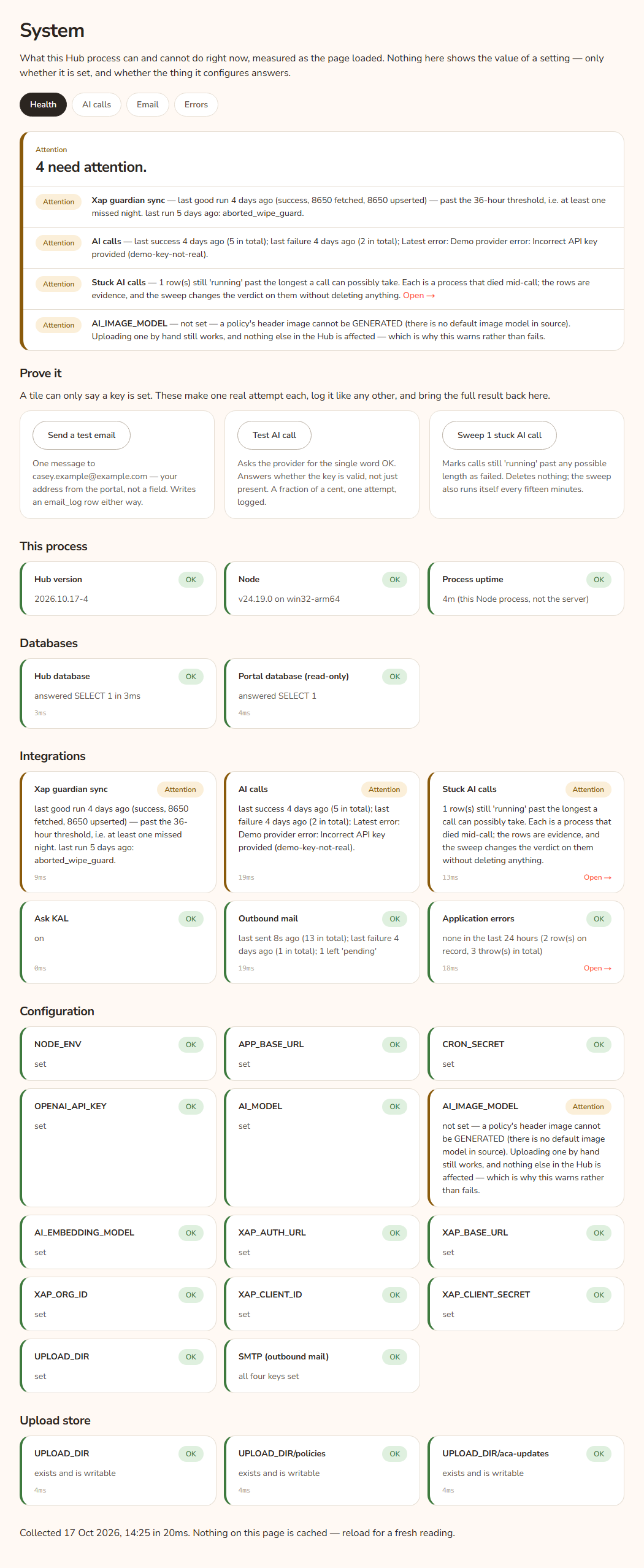
- Open System in the console sidebar. The Health tab opens.
- Read the box at the top. It has a small label (All clear, Attention, Broken or Unknown) and one sentence. The sentence is "Everything answered." or something like "1 thing is broken, 2 need attention."
- Under the sentence is a row for every problem, worst first. Each has a pill (Broken, Attention or Unknown), the name of the check and a plain reason. Press Open → on a row to go to the tab that shows more.
- If you need to be sure, press one of the three buttons in Prove it.
- Scroll down to read every check by group.
Example: A head office user, Casey Example, presses Generate Quick Guide and sees a failure message. Casey opens System. The sentence reads "1 needs attention." The row reads "OPENAI_API_KEY — not set — EVERY AI feature fails". The fix is to ask the person who looks after the server to set the key.
The pills
- OK (or All clear at the top): the check answered.
- Attention: something is off, but the Hub still mostly works.
- Broken: something the Hub needs is not working.
- Unknown: the Hub could not check, or has nothing to compare yet.
Prove it: the three buttons
A check can only say a key is set. These buttons make one real attempt each and bring the result back to this page. None needs a confirmation.
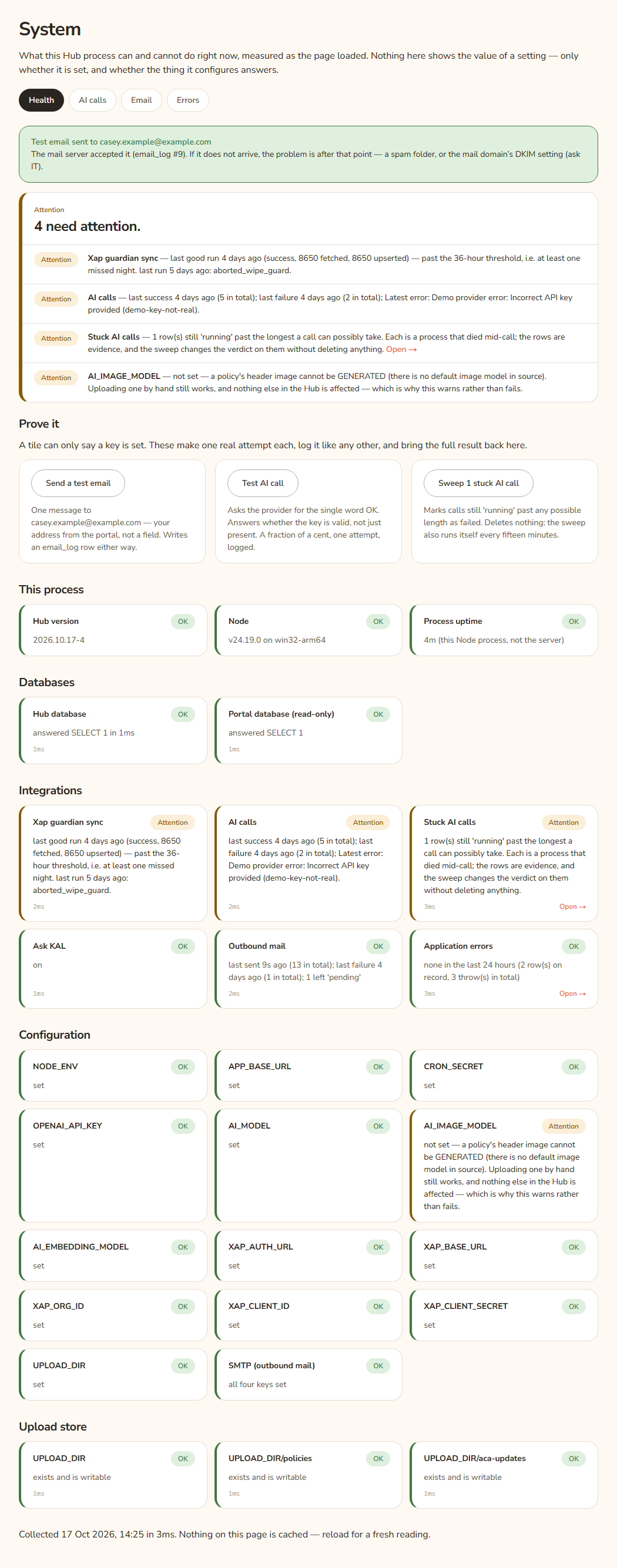
Send a test email
Test AI call
Asks the AI provider for the single word OK. It costs a fraction of a cent and makes one attempt. A good result says "The AI provider answered" with the model, tokens and cost. A bad one says "The AI call failed" with the provider's full error. This tells you whether the key is valid, not only present. It is saved in AI calls.
Sweep stuck AI calls
Some AI calls are written as "running" before they start. If the process dies mid-call, the row stays "running". This button marks those rows as failed. It deletes nothing. The Hub also does this by itself every fifteen minutes.
- The button reads Sweep stuck AI calls if the count could not be read, Nothing to sweep (greyed out) if there are none, or "Sweep 2 stuck AI calls" with the number.
- After a press the page says "Sweep finished" and either "Nothing was stuck, so nothing was changed." or "2 rows marked failed — each was still 'running' past the longest a call can take. Duration and cost stay unknown."
The groups of checks
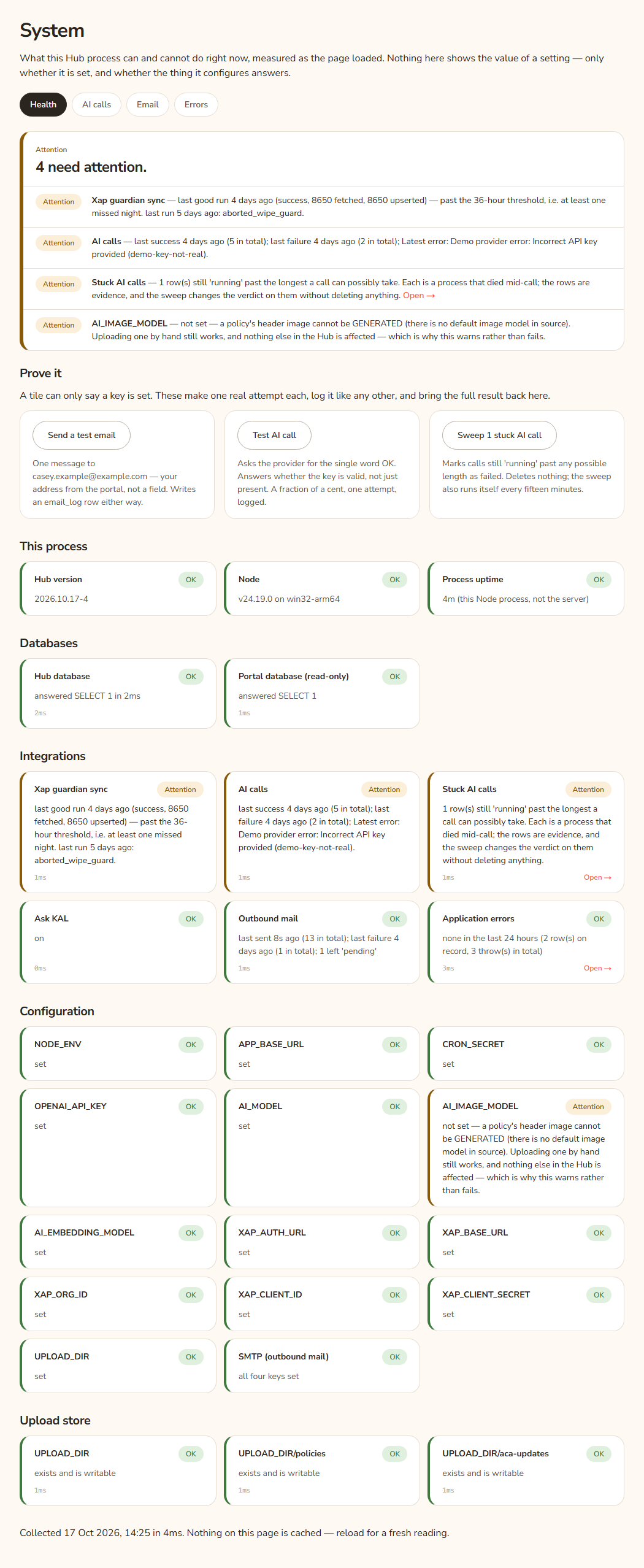
| Group | Checks | What a problem means |
|---|---|---|
| This process | Hub version, Node, Process uptime | Information only. A very short uptime again and again can mean the keep-alive job has stopped, not a crash. |
| Databases | Hub database, Portal database (read-only) | If the Hub database fails nothing works. If the Portal database fails, staff and admin sign-in and this console are closed. |
| Integrations | Xap guardian sync, AI calls, Stuck AI calls, Ask KAL, Outbound mail, Application errors | See below. |
| Configuration | NODE_ENV, APP_BASE_URL, CRON_SECRET, OPENAI_API_KEY, AI_MODEL, AI_IMAGE_MODEL, AI_EMBEDDING_MODEL, XAP_AUTH_URL, XAP_BASE_URL, XAP_ORG_ID, XAP_CLIENT_ID, XAP_CLIENT_SECRET, UPLOAD_DIR, SMTP (outbound mail) | Each says "set" or what stops working without it. |
| Upload store | UPLOAD_DIR, then the policies folder and the policy updates folder under it | Must exist and be writable. If not, policy pictures and update documents cannot be saved. |
Integrations
- Xap guardian sync: "Broken" if no sync has ever been recorded or none of the last ten worked. "Attention" if the last good run is over 36 hours old (at least one missed night), or the newest run failed but the data is still current. See Xap sync.
- AI calls: "Attention" if the most recent finished call failed, with the latest error. "Unknown" if nothing has been asked of the provider yet.
- Stuck AI calls: "none", or "Attention" with the count.
- Ask KAL: "on", or "Attention" if it is off. Off is a switch head office owns on the Settings screen, not a fault. See Settings overview.
- Outbound mail: "Attention" if the latest message failed. The test button tells a wrong password from one bounced address.
- Application errors: "none in the last 24 hours", or "Attention" with the number and the busiest scope. See Errors.
Configuration
A missing value is "Broken" for these: APP_BASE_URL, CRON_SECRET, the five XAP settings, and SMTP. It is "Attention" for NODE_ENV, OPENAI_API_KEY, AI_MODEL, AI_IMAGE_MODEL, AI_EMBEDDING_MODEL and UPLOAD_DIR. The reason shown on each row is written in plain words, for example that without AI_EMBEDDING_MODEL "nothing can be embedded and Ask KAL retrieves no policies."
Every option
| Option | What it does | Default |
|---|---|---|
| Health, AI calls, Email, Errors tabs | Switch between the four System screens. | Health |
| Send a test email | Emails you one test message and logs it. | |
| Test AI call | Makes one AI call and logs it. | |
| Sweep stuck AI calls | Marks long-running AI rows as failed. | Greyed out when none are stuck |
| Open → (on a row or tile) | Goes to the tab with more detail. |
Questions
How fresh is this page?
Nothing is cached. The last line says "Collected" and the time, and how many milliseconds it took. Reload for a new reading.
The page says everything is fine but a feature fails. What next?
Press the matching test button. A key can be set but wrong. Then look at Errors, which has the full text of server failures. For general fixes, see Troubleshooting.
Is it safe to press the buttons?
Yes. They send one email to you, make one cheap AI call, or fix labels on rows already wrong. They cannot show anyone else's data.
If something goes wrong
- "The mail server accepted it" with "If it does not arrive, the problem is after that point" means mail left the Hub. Check spam, or the mail domain's DKIM setting (ask IT).
- "The send failed before a log row could be written; the server log has the reason." Ask the person who looks after the server.
- "No diagnostic row was found — the failure happened before the log row was written." The same.
- "The stuck-row count could not be read; the sweep will count for itself." You can still press the button.
- A row reading "unknown" with some database text means that one check could not be completed. Reload once.