
Example - print a policy for a new educator to sign
A worked example - Jordan Sample prints the Staff copy of a policy at Demo Park, hands it to a new educator, and checks later that they opened it.
Updated
This example shows the whole job from start to finish. A new educator, Taylor Demo, starts at Demo Park Early Learning. Jordan Sample is the centre manager. Jordan wants Taylor to read the Sun Protection Policy and sign that they understand it. The names in the pictures are demo people.
The goal
- Taylor gets a short paper copy to read: the Quick Guide, the Policy Statement, the checklist and a signature page.
- Taylor signs and dates the page and hands it back.
- Jordan can later check in Hub that Taylor opened the policy.
Print the Staff copy
- Jordan signs in and opens Policies.
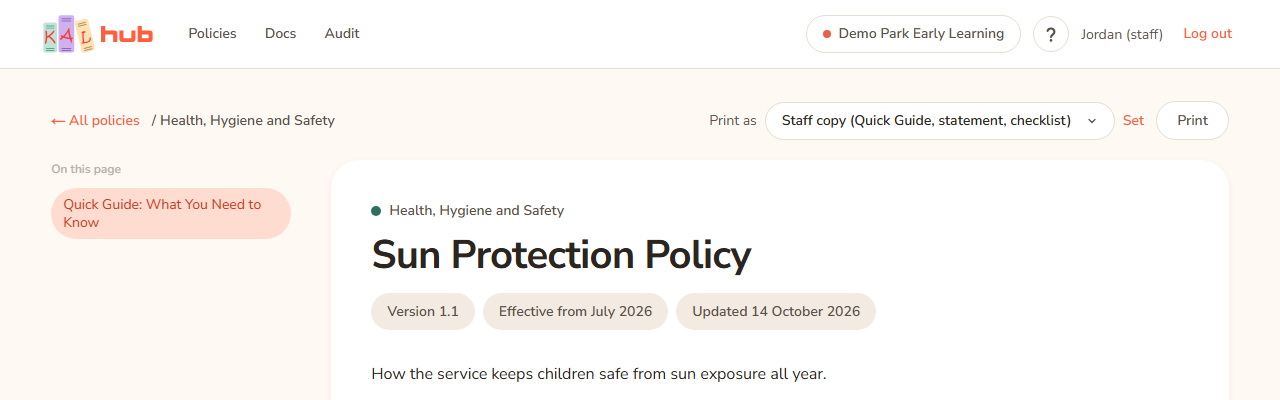
- Jordan types sun in the search box and picks "Sun Protection Policy" from the drop-down. The policy opens.
- At the top right Jordan sees Print as. The list is already set to Staff copy (Quick Guide, statement, checklist). Jordan leaves it.
- Jordan presses Print. The browser's print window opens. The preview shows the Demo Park and KAL logos, the words Staff copy, the Quick Guide, the Policy Statement, the checklist and a last page with Signed and Date lines.
- Jordan prints it and gives it to Taylor.
The signature page appears only for policies where head office has switched it on. If the last page is missing, ask head office. If the print preview shows the whole policy instead, the policy has no Quick Guide. The page says No Quick Guide yet, so the Staff copy prints in full. That is normal: the paper says Full copy.
Taylor reads and signs
- Taylor reads the paper.
- Taylor ticks the boxes on the checklist.
- Taylor writes a name into the declaration on the last page, and signs and dates it.
- Taylor hands it back to Jordan, who files it.
Check that Taylor opened it
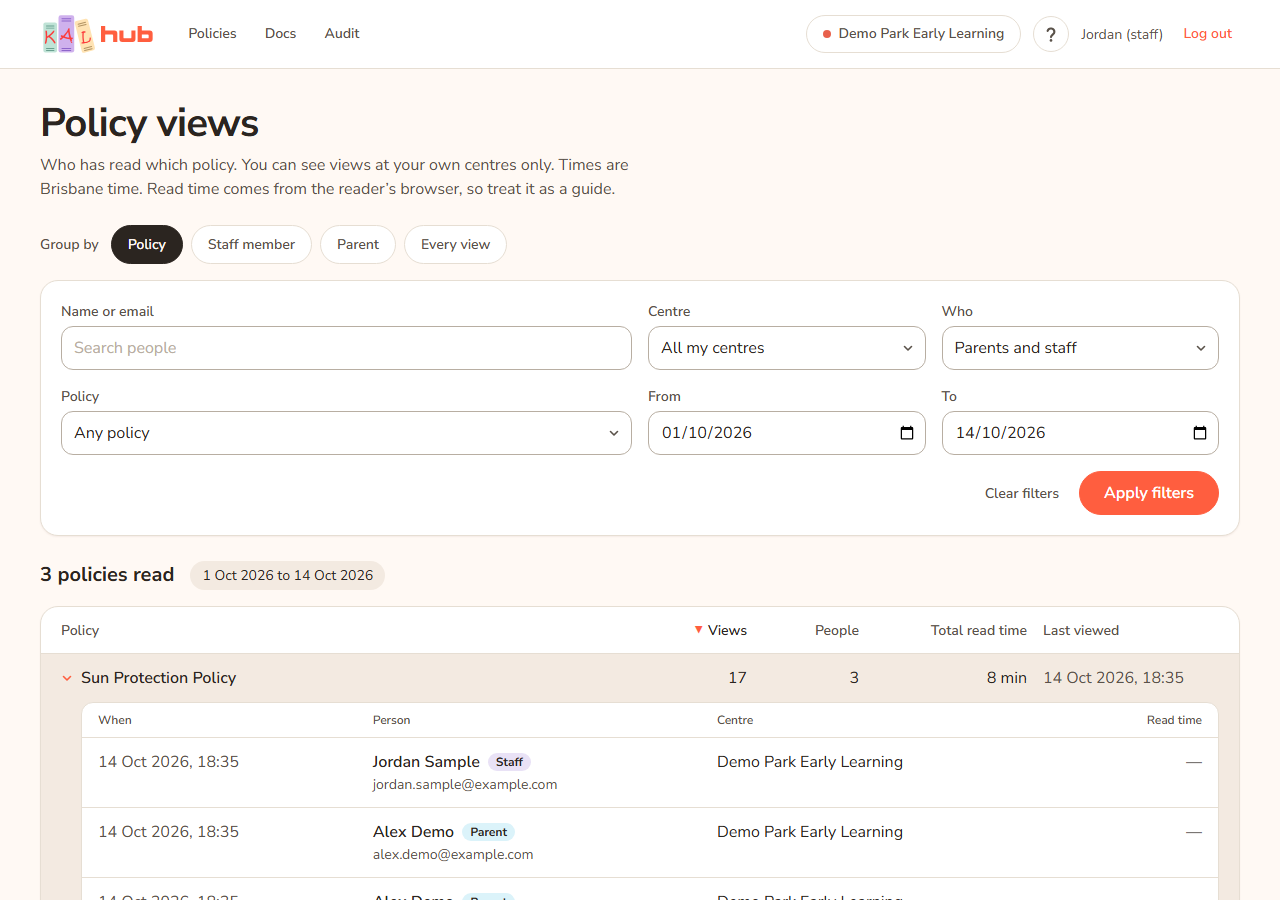
- Later, Jordan presses Audit in the header.
- Jordan chooses Group by Policy and opens "Sun Protection Policy".
- Taylor Demo appears in the list with the date and a read time. See Policy views report.
Give a family a copy instead
If Jordan wants to hand a family a copy of the same policy, Jordan changes Print as to Family copy and presses Set, then Print. The paper has no checklist and no signature page.
What happens when
| Step | What Jordan sees |
|---|---|
| Open the policy | The reading page. The checklist and signature page are not on the screen. |
| Staff copy chosen | The paper includes the Quick Guide, the statement, the checklist and the signature page. |
| Full copy chosen | The whole policy, then the checklist and the signature page. |
| Family copy chosen | The whole policy only. |
Questions
The checklist is not on my screen. Is it missing?
No. The checklist and signature page never show on screen. They appear in the print preview.
Taylor is a FoundU educator. Can Taylor print too?
Yes. Educators who sign in with FoundU see Print as and can print the Staff copy, Full copy or Family copy.
How do I know the signature page was used?
Hub does not record signatures. The signed paper is the record. The Audit tab only shows that the policy was opened.