
View the Hub as a parent
See the Hub exactly as a family at one centre sees it, without being counted as a family visit, then return to your own session.
Updated
View as a parent lets head office browse the real Hub as a family at one centre would. It is the real library, search, reading page, printing and Ask KAL, not a mock-up. Use it to check that a policy shows (or is hidden) for families, and to see how a printed Family copy looks.
It is for head office only. It does not show any real family's data.
Start a view
- In the console press View as a parent in the left-hand list.
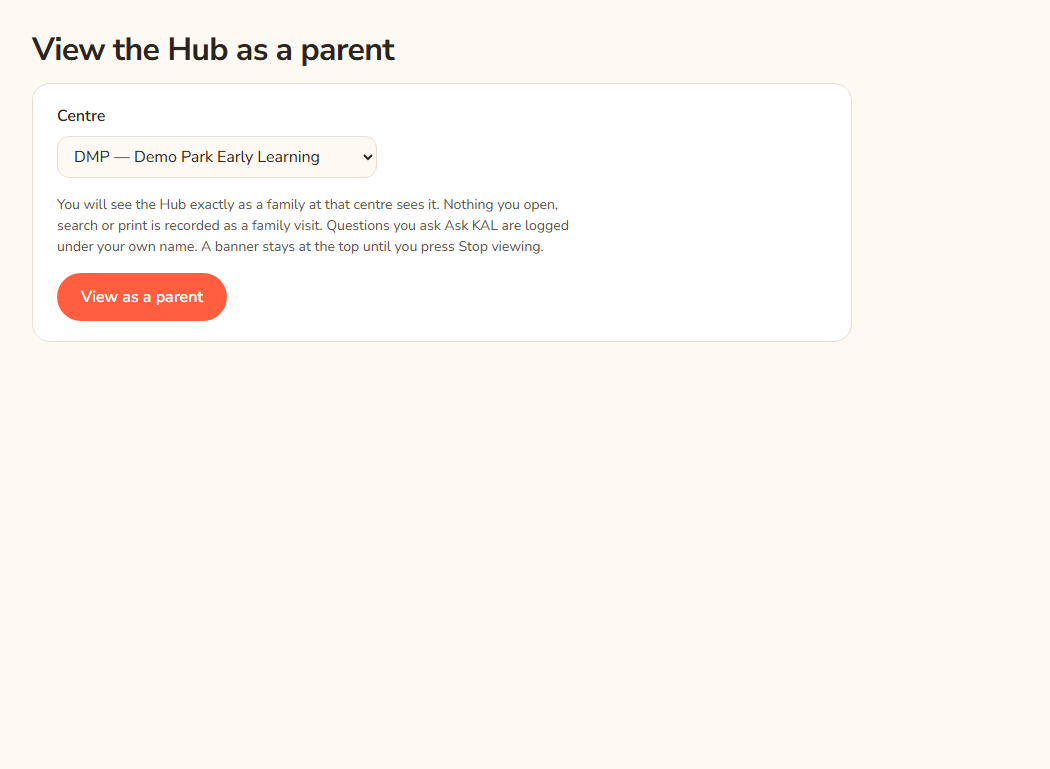
- In Centre, choose the centre. The list shows each centre as its code and name, for example
DMP — Demo Park Early Learning. A sensible centre is pre-selected. - Read the grey paragraph. It explains what is and is not recorded.
- Press View as a parent. The button reads Opening….
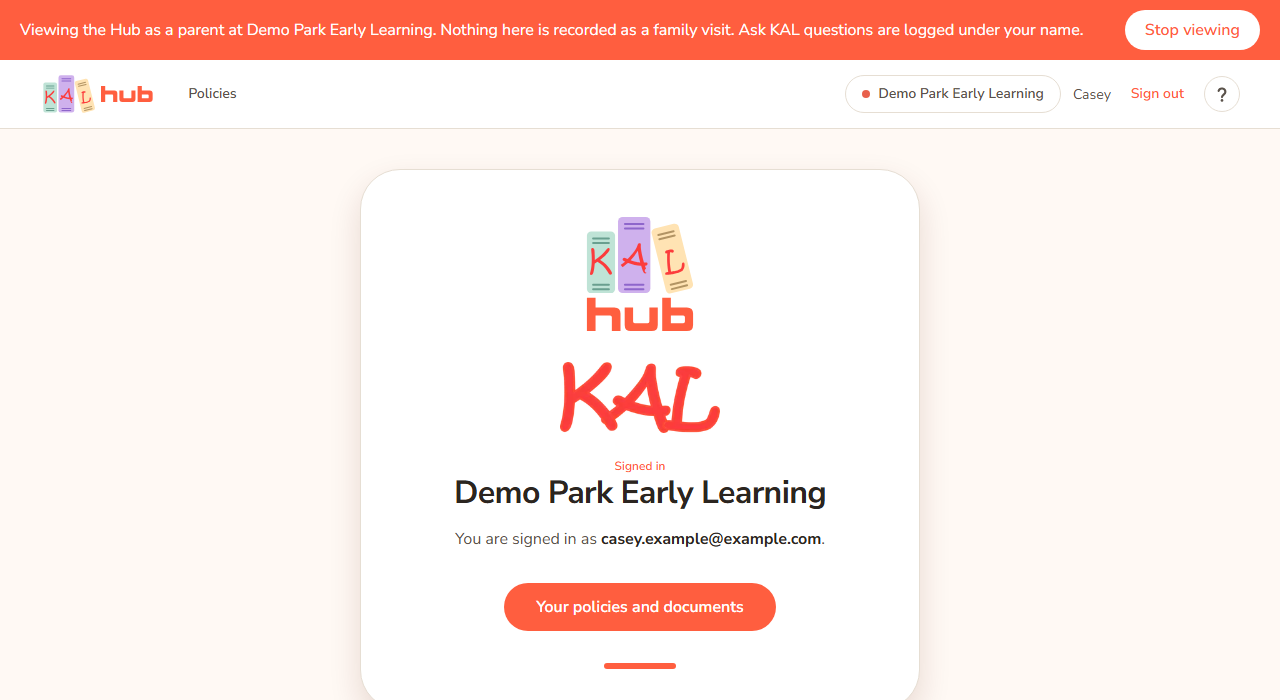
- You land on the Hub home page. A coral banner stays at the top of every page.
The banner reads "Viewing the Hub as a parent at [centre name]. Nothing here is recorded as a family visit. Ask KAL questions are logged under your name." and has a Stop viewing button.
Example: Casey Example wants to check that the Human Resources policies are hidden from families at Demo Park. Casey chooses DMP — Demo Park Early Learning, presses View as a parent, opens the Policies tab, and sees no Human Resources chip. Casey presses Stop viewing to go back to the console.
What you see in a view
- The Hub as a family at that centre sees it: the same policies, search, Docs tab, printing and Ask KAL.
- The centre cannot be changed during a view. A family with one centre has no switcher either. To look at another centre, press Stop viewing and start again.
- No Admin link appears while you view.
What is and is not recorded
- What you open, search and print is not recorded as a family visit. It does not appear in the Activity log.
- Questions you ask in Ask KAL are recorded, under your own name.
- Starting and stopping a view is recorded in the admin audit trail with your address and the centre.
Stop a view
- Press Stop viewing in the banner.
- You return to your own head-office session on the Hub home page. Pressing Log out in the account menu during a view does the same thing.
You do not need to sign in again. Your own session was set aside while you viewed and is put back.
A view closes by itself after 15 minutes without a click. It also closes at once if your head-office access cannot be confirmed (for example it was removed). You then see a page called Your parent view timed out or Your parent view has ended, with a Back to my own session button.
Every option
| Option | What it does | Default |
|---|---|---|
| Centre | The centre to view as. Lists the centres the Hub can show, including a limited-portal centre. | A default centre is pre-selected |
| View as a parent | Opens a parent view at that centre. | |
| Stop viewing (banner) | Ends the view and returns you to your own session. | |
| Back to my own session | Same, from the timed-out page. |
Questions
Is this a preview or the real thing?
It is the real Hub, signed in as a made-up family visit at that centre. That is why it can be trusted to match what families see.
Will I appear as a visitor in the Activity log?
No. Your browsing is left out. Your Ask KAL questions do appear in the Ask KAL logs under your name.
Why can't I switch centre?
A view is one centre, like a single-centre family. Stop and start again for another centre.
Can I still use the console during a view?
Yes. The console keeps working in the same browser, so you can flip between the two.
I closed the browser during a view.
The view closes by itself after 15 minutes without a click. Sign in again to the Hub as yourself.
If something goes wrong
- "That centre is not one the Hub can show. Pick one from the list and try again." The centre you chose is not available. Choose again from the list.
- "Your own Hub session could not be read, so there would be no way back afterwards. Sign in to the Hub again, then start the view from here." Log out and sign in to the Hub, then start again.
- Your parent view timed out — "A parent view closes after 15 minutes without a click." Press Back to my own session.
- Your parent view has ended — "Your head-office access could not be confirmed, so the view was closed." Press Back to my own session. If your own sign-in has ended too, this takes you to the sign-in page ("If your own sign-in has ended too, this will take you to the sign-in page.").