
System - errors
Find the full record of a server failure from the reference code a family read out, and understand repeats and the times-two count.
Updated
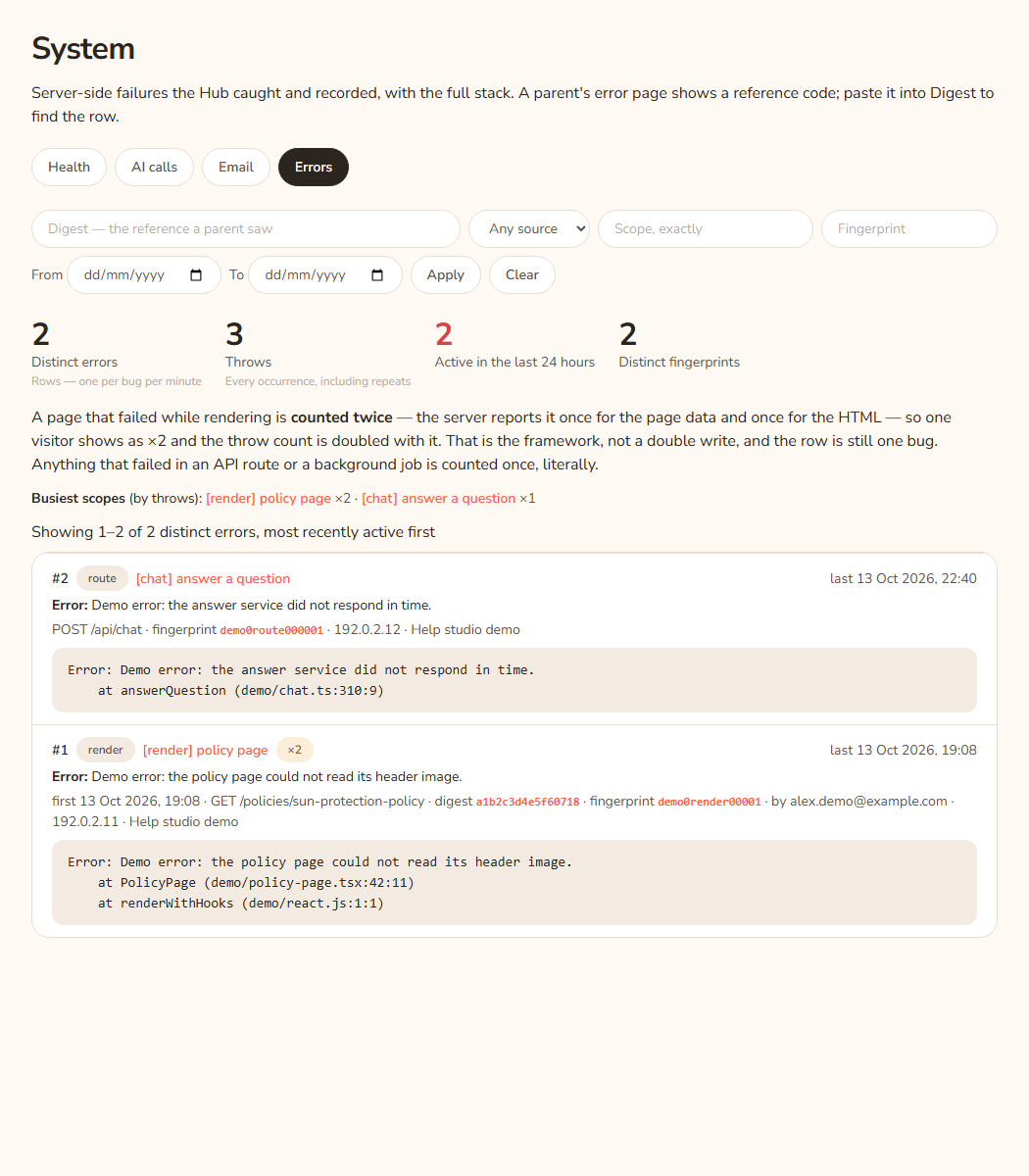
The Errors tab (System, then Errors) lists server-side failures the Hub caught and wrote down, with the full technical detail. When a family sees a page that did not load, they can read out a reference code. Head office pastes that code into Digest and gets the record. This tab is for head office only.
Look up a reference code
- A parent says "the page said This page did not load" and reads out a reference. That is the line "If it keeps happening, please tell your centre and quote this reference:" and a code.
- Open System in the console and press Errors.
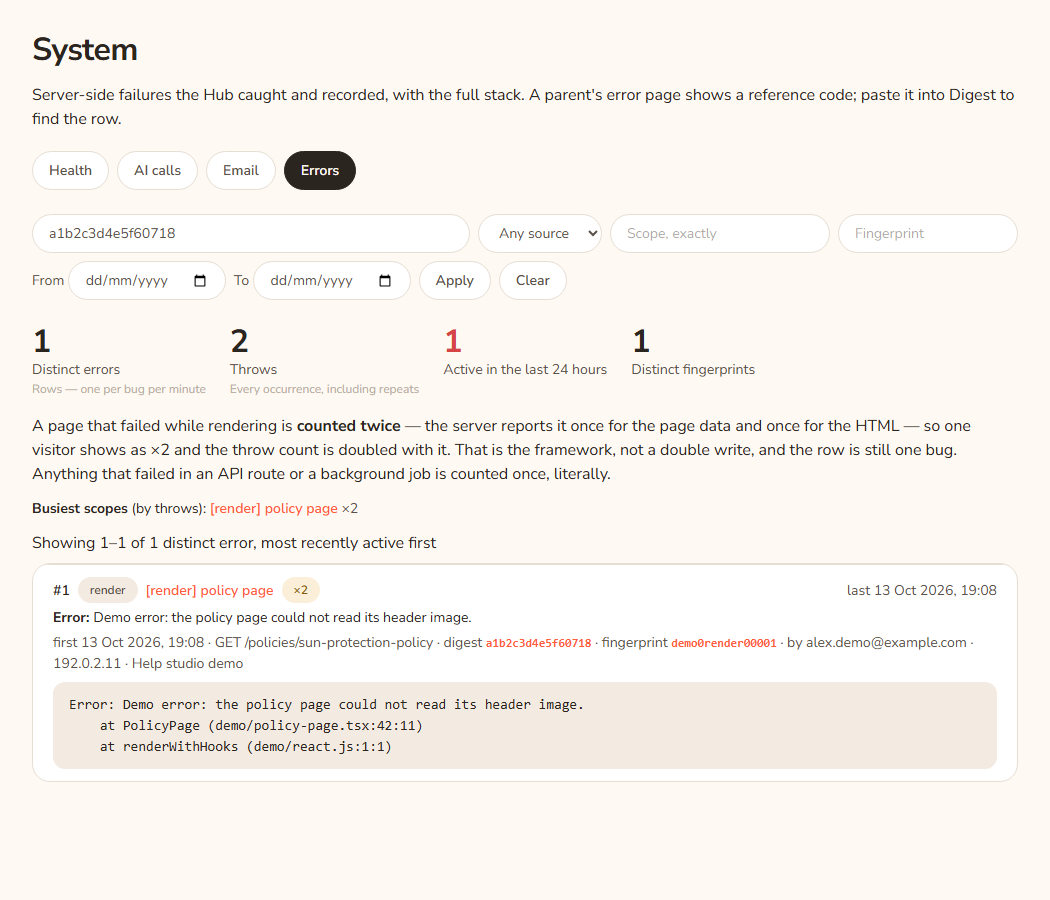
- Paste the code into the Digest — the reference a parent saw box.
- Press Apply.
- Read the row: the area it happened in (scope), the message, the page address, the time and the stack.
Example: Sam Example, a parent at Demo Park, reads out the reference a1b2c3d4 after a policy page fails. Paste it in Digest and press Apply. The row shows what failed and when. If the error is in the AI area, check AI calls.
Read the figures
- Distinct errors: the number of rows. One row per kind of problem.
- Throws: every time it happened, including repeats. One problem that happens 4,000 times shows as one row with ×4000.
- Active in the last 24 hours: rows with activity in the last day. Coral when above zero.
- Distinct fingerprints: how many different problems. A fingerprint is a short code made from the error and where it happened.
Why a failed page counts twice
A page that failed while loading is reported twice by the framework, once for the page data and once for the page itself. So one visitor shows as ×2. That is not a double write, and the row is still one bug. A failure in an API route or a background job is counted once.
The line "Busiest scopes (by throws)" lists the scopes with the most throws. Press one to filter to it.
Read one error row
Top: the number, a source pill, the scope as a link, "×N" if it repeated, and "last" with the time. Then the error name and message. Then small details: "first" time if repeated, the method and page address, the digest, the fingerprint, "by" an email if a signed-in person was involved, "visit #N" (opens the visit in Activity), and the address and browser. Under that, the stack and any extra detail in boxes you can open.
The page address does not include anything after the question mark.
Sources
| Source | Meaning |
|---|---|
| render | A page failed while loading. |
| route | An API route failed. |
| action | A button or form action failed. |
| proxy | The checking layer in front of the pages failed. |
| caught | The code caught a problem and recorded it. |
| process | The whole server process had a problem. |
Every option
| Option | What it does | Default |
|---|---|---|
| Digest | Finds the row for a reference a family read out. | Empty |
| Any source | Filter by source in the table above. | Any source |
| Scope, exactly | Type the scope exactly as it is written. Press a scope link to fill it for you. | Empty |
| Fingerprint | Finds one kind of problem. Press a fingerprint link to fill it. | Empty |
| From / To | Date range. | Empty |
| Apply | Applies the filter. | |
| Clear | Removes the filter. | |
| Older → / ← Newer | Move through pages of 100, most recently active first. | Page 1 |
Questions
Is an empty list bad?
No. It is the goal. Every failure the Hub catches goes here.
Why do I see 404 pages here?
You do not. An ordinary "page not found" or a sign-in redirect is not an error and is not recorded.
Does a row hold personal details?
It can hold an email and a visit number if the problem happened while someone was signed in. Treat it as private. Do not paste a stack into a chat or an email.
How long do rows stay?
About 90 days.
If something goes wrong
- "No errors have been recorded. Every server-side throw the Hub catches is written here, so an empty table is the goal, not a gap in coverage."
- "No errors match this filter." Press Clear.
- "No errors on this page — the filter may have moved since the link was made." Press Clear.
- "The error log has not been created on this database yet." The database needs an update. Tell the person who looks after the server. Until then, failures are written only to the server's own log.
What a family sees when a page fails: "This page did not load", then "Something went wrong at our end — it is not something you did, and nothing you have read or saved has been lost. The problem has been recorded for the KAL team." and a Try again button. See Troubleshooting.